![Sparrow Logo only-1.png]](https://support.sparrowconnected.com/hs-fs/hubfs/Sparrow%20Logo%20only-1.png?height=40&name=Sparrow%20Logo%20only-1.png)
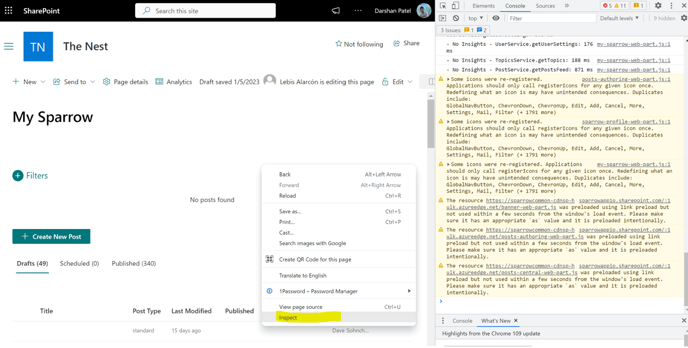
- Open the Chrome DevTools by right-clicking on the page and selecting "Inspect" or pressing F12 on your keyboard.
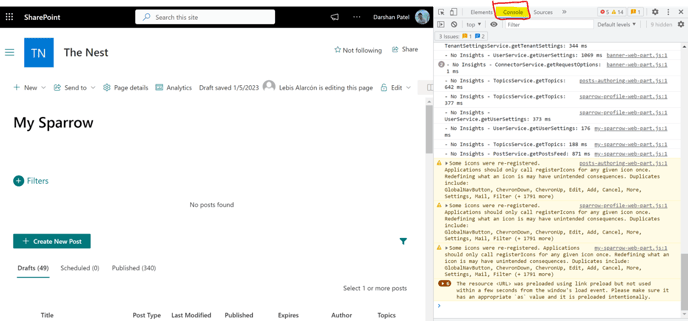
- Click on the "Console" tab.
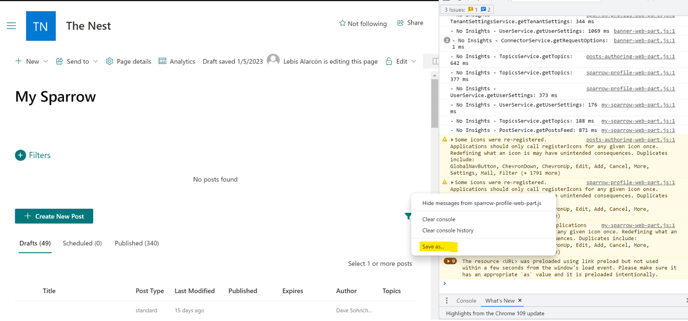
- Right-click anywhere in the console output and select "Save as..."
- Choose a location to save the file and select "Save".
- The console log will be saved as a .log file which can be opened in a text editor.