![Sparrow Logo only-1.png]](https://support.sparrowconnected.com/hs-fs/hubfs/Sparrow%20Logo%20only-1.png?height=40&name=Sparrow%20Logo%20only-1.png)
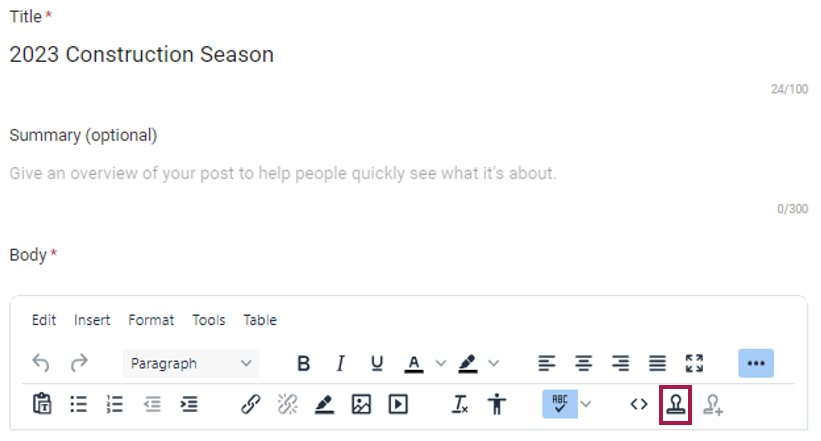
- On the Edit Post/Event screen, click the Insert Template icon on the toolbar
- On the Template screen, select the template you want to insert from the list of available templates and click Insert. If you want to create a new Content Template, refer to the article on Creating a New Content Template.
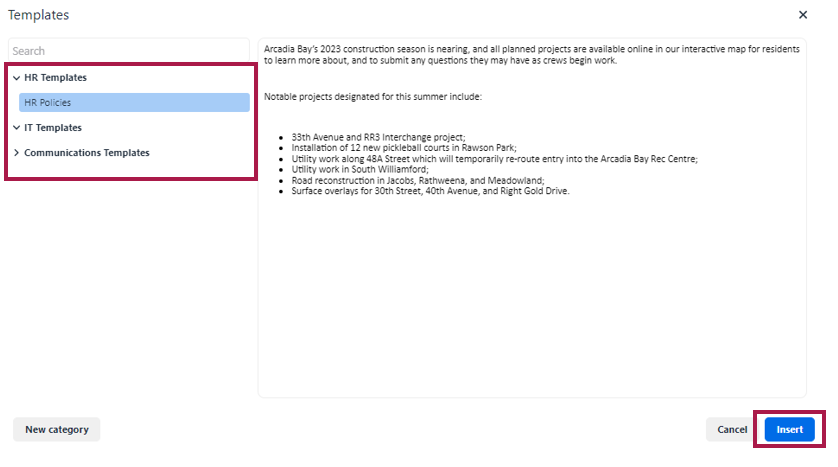
- The content from the template will be inserted based on your current cursor position in the editor and can be formatted or changed if needed before publishing the post/event.