![Sparrow Logo only-1.png]](https://support.sparrowconnected.com/hs-fs/hubfs/Sparrow%20Logo%20only-1.png?height=40&name=Sparrow%20Logo%20only-1.png)
Currently supported web browsers on Android;
- Google Chrome
- Firefox - Currently no Pop-up blocker on Android Firefox
- Opera Browser
- Android's 'Internet'
Android's 'Internet'
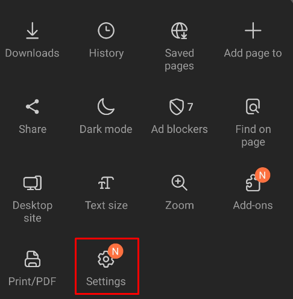
1. Tap the hamburger icon on the bottom right.

2. Tap 'Settings'
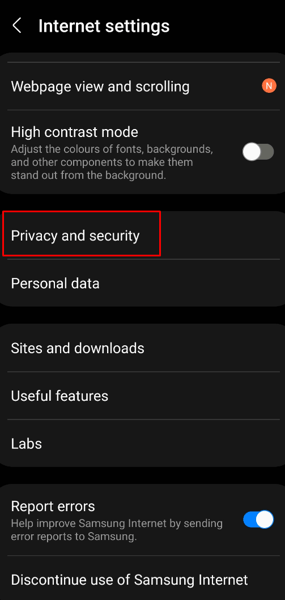
3. Tap 'Privacy & Security'
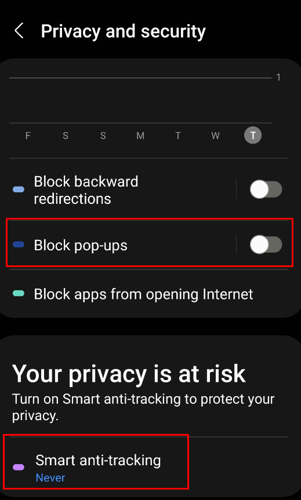
4. Turn off 'Block Pop-ups' and Smart anti-tracking to 'Never' (without this, it will not work.
Enabling Pop-ups & redirects on Google Chrome
1. Open up Chrome on your mobile device.
2. Go to your browser settings
3. Go to Site Settings
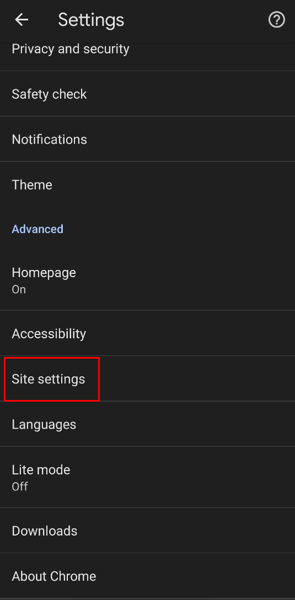
4. Look for 'Pop-ups and redirects'
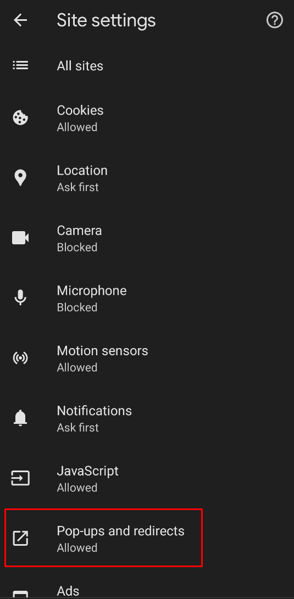
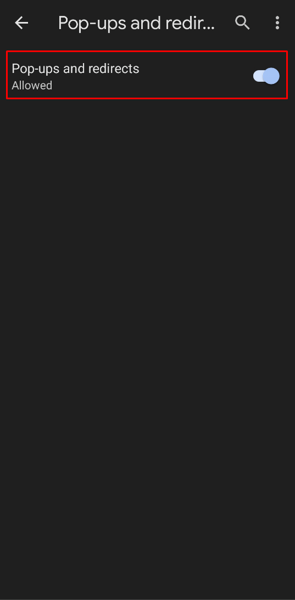
5. Ensure 'Pop-ups and redirects' are 'Allowed'
Enable Pop-ups & redirects on Opera
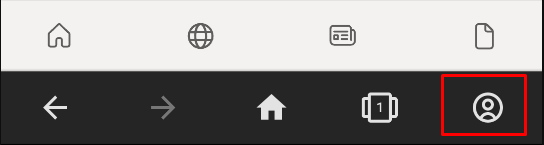
1. On the bottom right, click the profile icon
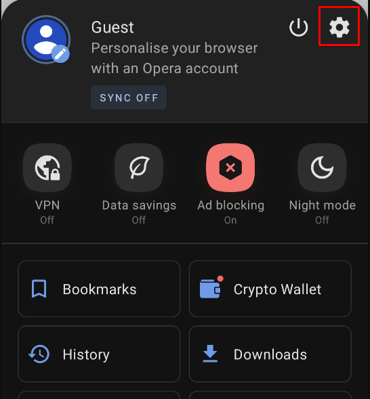
2. Next click the little gear icon
3. Scroll down until you see Block pop-ups
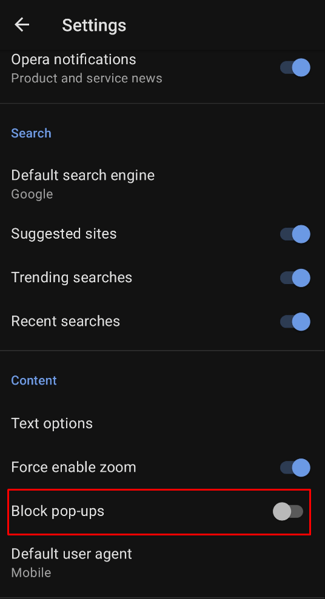
4. Ensure block pop-ups are in the off state.